+977 9768605451 Book a demo

See your team, live.
Replay the day.

Live GPS for any team that works in the field. See who is where during working hours, then replay any day on the map, with every visit and task attached.

Get it on Google Play Download on the App Store

On Android and iPhone. Made in Nepal by B4 Tech.

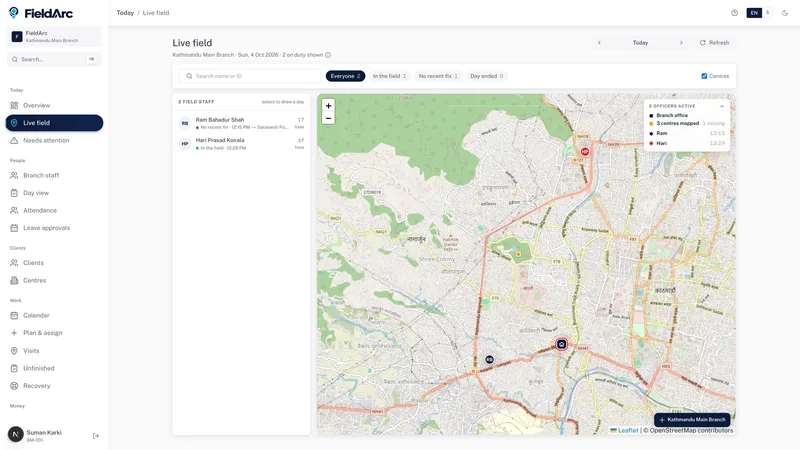
FieldArc dashboard: the Live field map with each person and their latest visit (sample data)
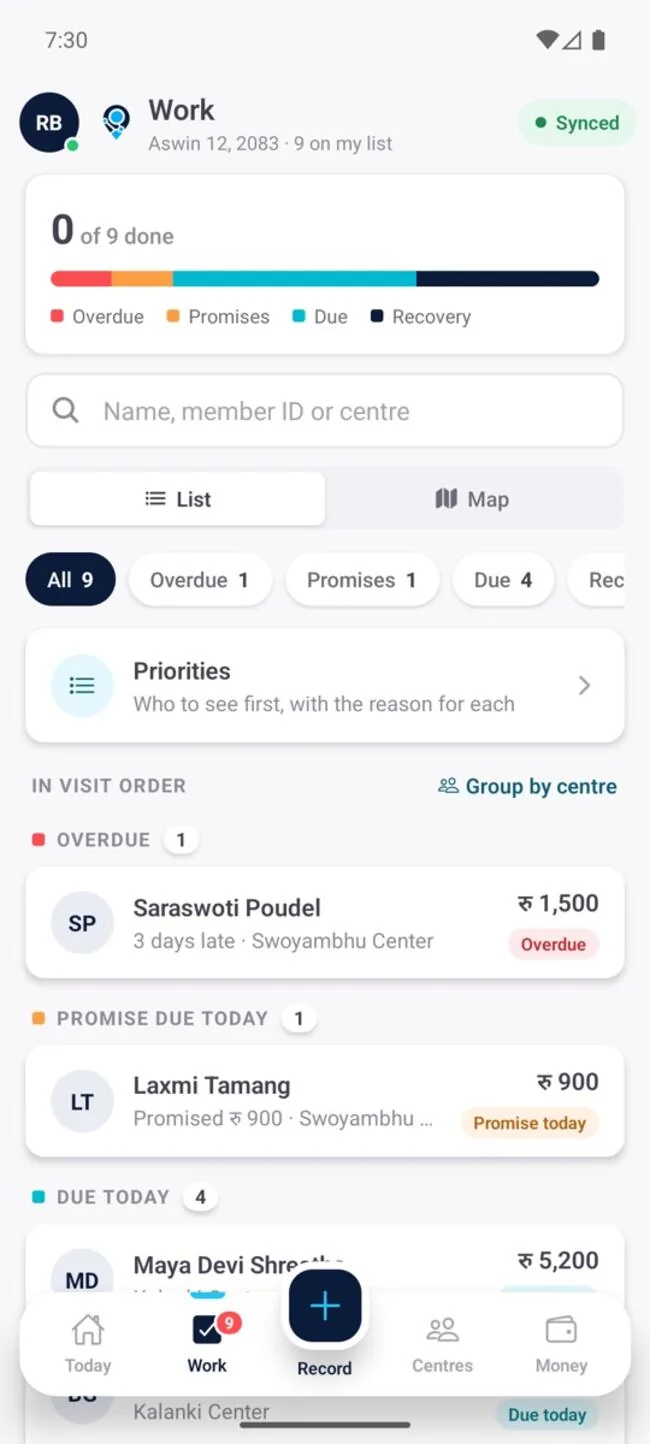
FieldArc app: a field officer's work list for the day, in visit order

09:00The work happens far from the office.

17:00The office finds out at five, by phone.

?Nobody can check what was actually done.

FieldArc puts every person on a live map, and keeps each day to replay.

See your team, live.

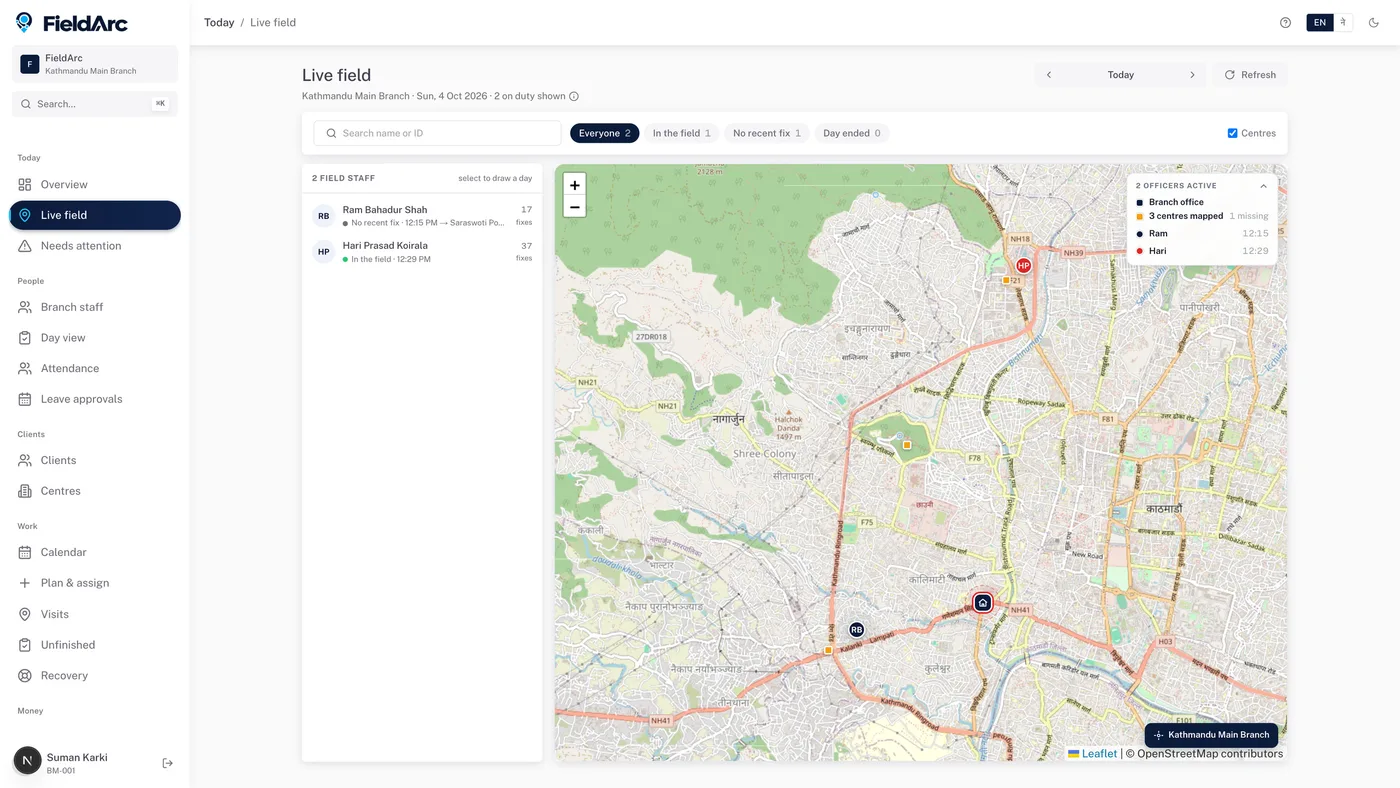
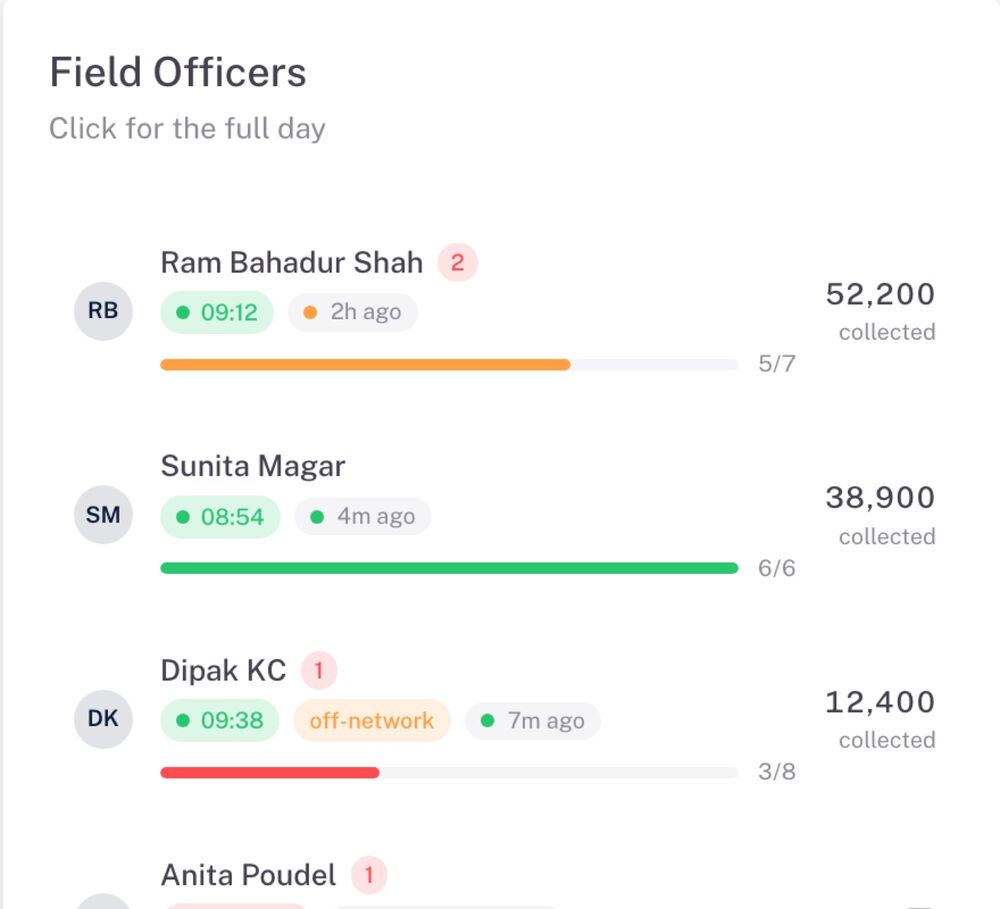
One map for the whole field. Who started the day, where they are and which visits are done, as the phones sync.

  • Live map of every person, during working hours
  • Day start with photo and location; late or off-site starts are flagged
  • Visits and tasks assigned, checked in and finished on the phone
app.fieldarc.co
FieldArc Live field: a map of the team with each person's latest visit and status (sample data)
Everyone, on one map Sample data

Replay anyone's working day.

Where they went, what they recorded and when. Pick any person and any day. Useful for coaching, questions and audits.

Live where there is signal. Safe where there is not.

Keeps working offline

Visits, tasks and records are saved on the phone first and sync when the connection comes back.

Offline · 4 waiting
  • Visit · Swoyambhu Centerwaiting
  • Visit · Kalankiwaiting
  • Photo · Outlet 12waiting
  • Task done · Aswin 20waiting

Live location, working hours only

Recorded when the phone provides it, shown as a readable place, and only during working hours. Every visit keeps its place and time.

Missing location is flagged

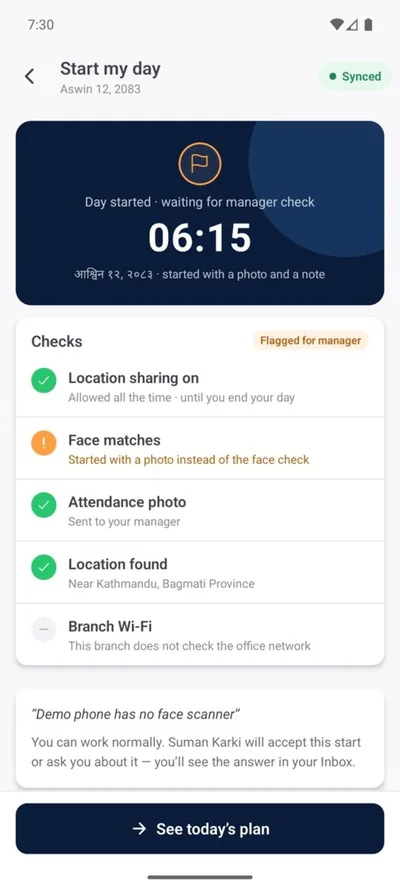
The day starts with a check-in

Photo and location at the start of the day. Office-network and face checks can be switched on per team.

Day started screen in the FieldArc app

Works beside your systems. Never writes.

Where an approved interface is available, FieldArc reads the data it needs. It never posts to or changes your system.

Nepali and English

Switch the app and the dashboard to Nepali, with Bikram Sambat dates.

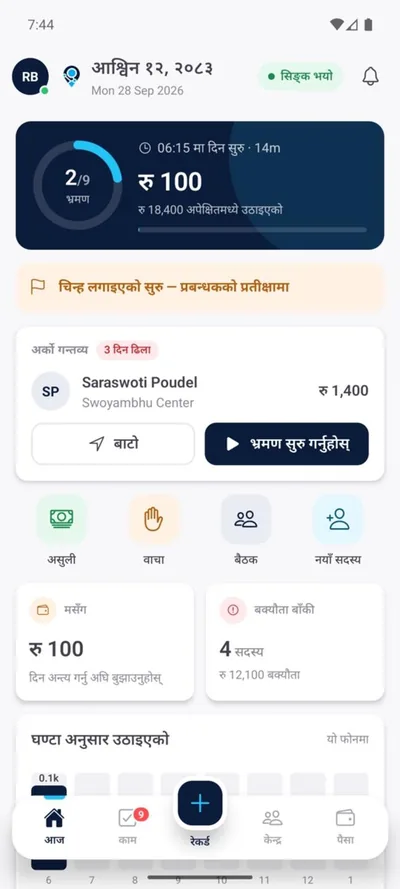
FieldArc app home screen in Nepali

Pick your team. FieldArc speaks its language.

One app and one dashboard. Each team sees its own words.

Sales reps work a beat, visiting outlets across their territory.

  • Beat plans with outlets in visit order
  • Outlet visits with a photo and the place
  • Each rep's day on the map, live and replayed
OutletsBeatsVisitsArea offices
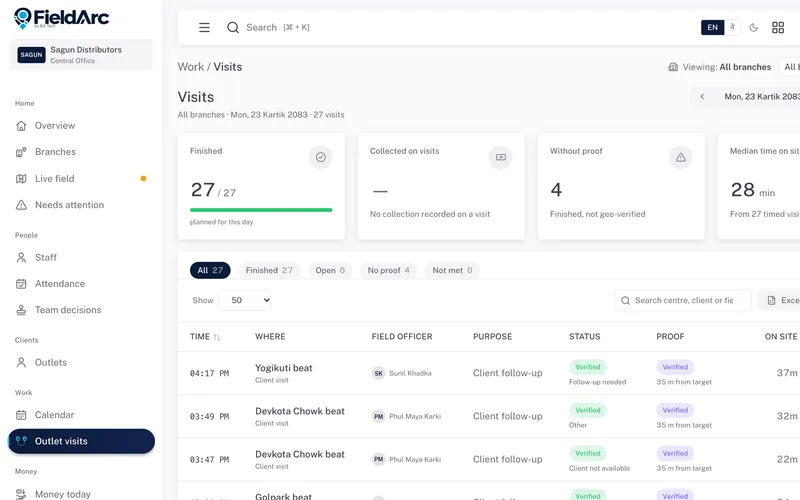
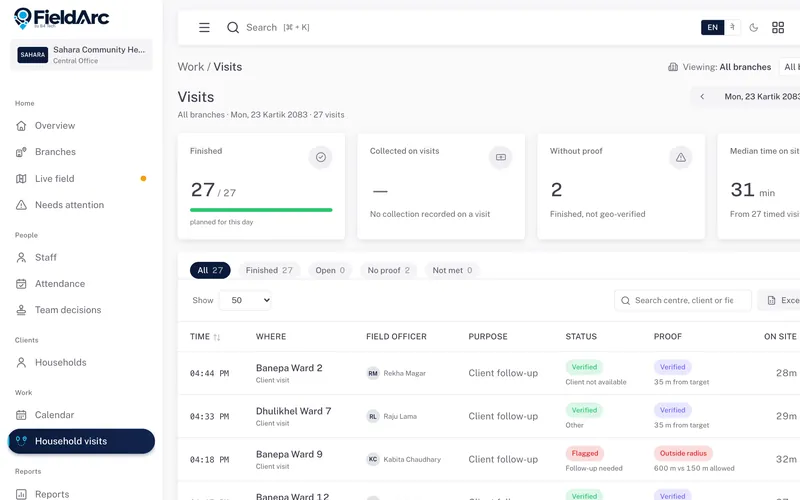
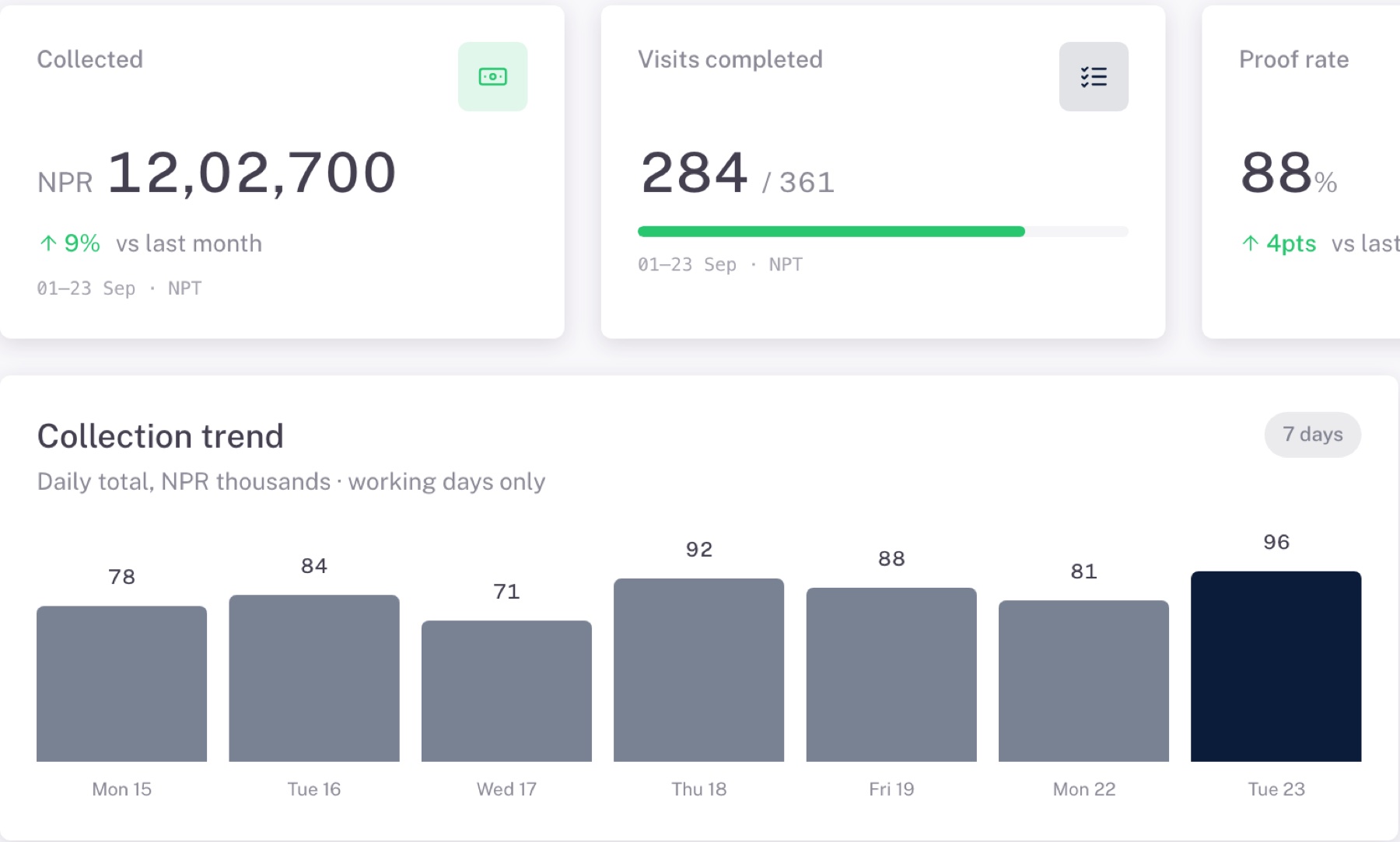
FieldArc dashboard for a field-sales team: the menu says Outlets and Outlet visits, and a day's visits list each beat, rep and proof (sample data)

Service, delivery or inspection crews? Start from the closest one; we adjust the words with you.

A screen for every seat.

The same records at four levels. Each person sees what their job needs, and nothing they should not change.

The day, on the phone.

  • A clear list of who to see and why
  • Visits and records saved offline
  • Day start with photo and location
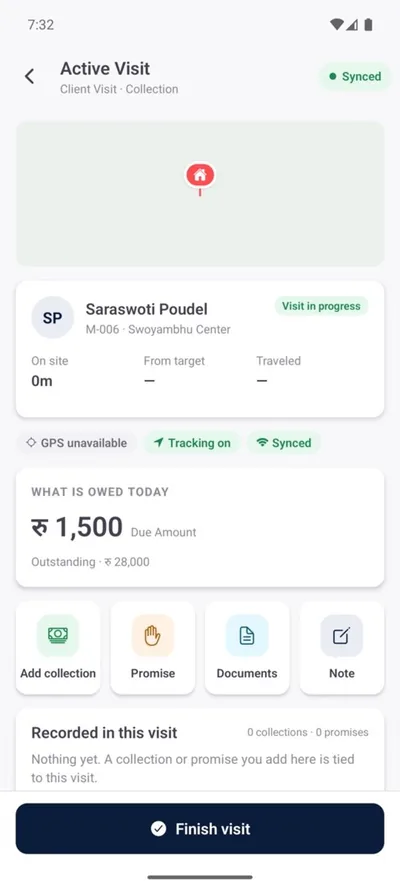
A visit in progress in the FieldArc app

The name on every record comes from the login, not from a form. Where you switch on approvals, the person who records something can never approve it.

See it on a 30‑minute call.

We show FieldArc set up for your kind of team, with sample people.

  • Watch a team live on the map
  • Check who started the day late or away from the office
  • Replay a person's working day on the map
app.fieldarc.co
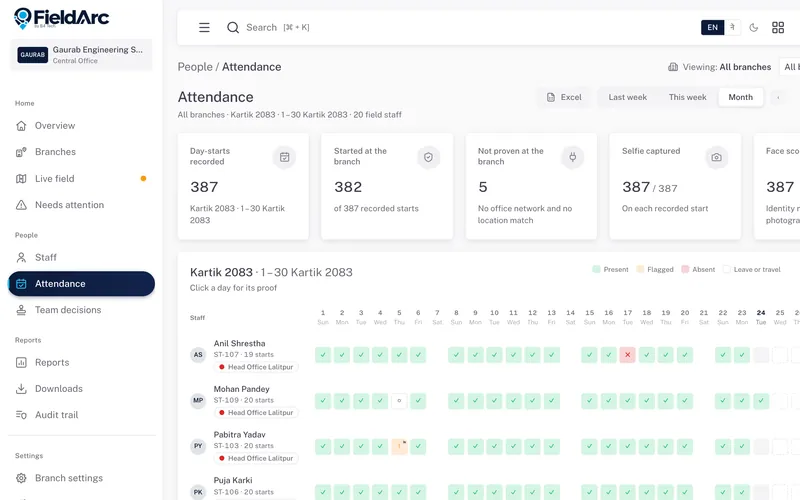
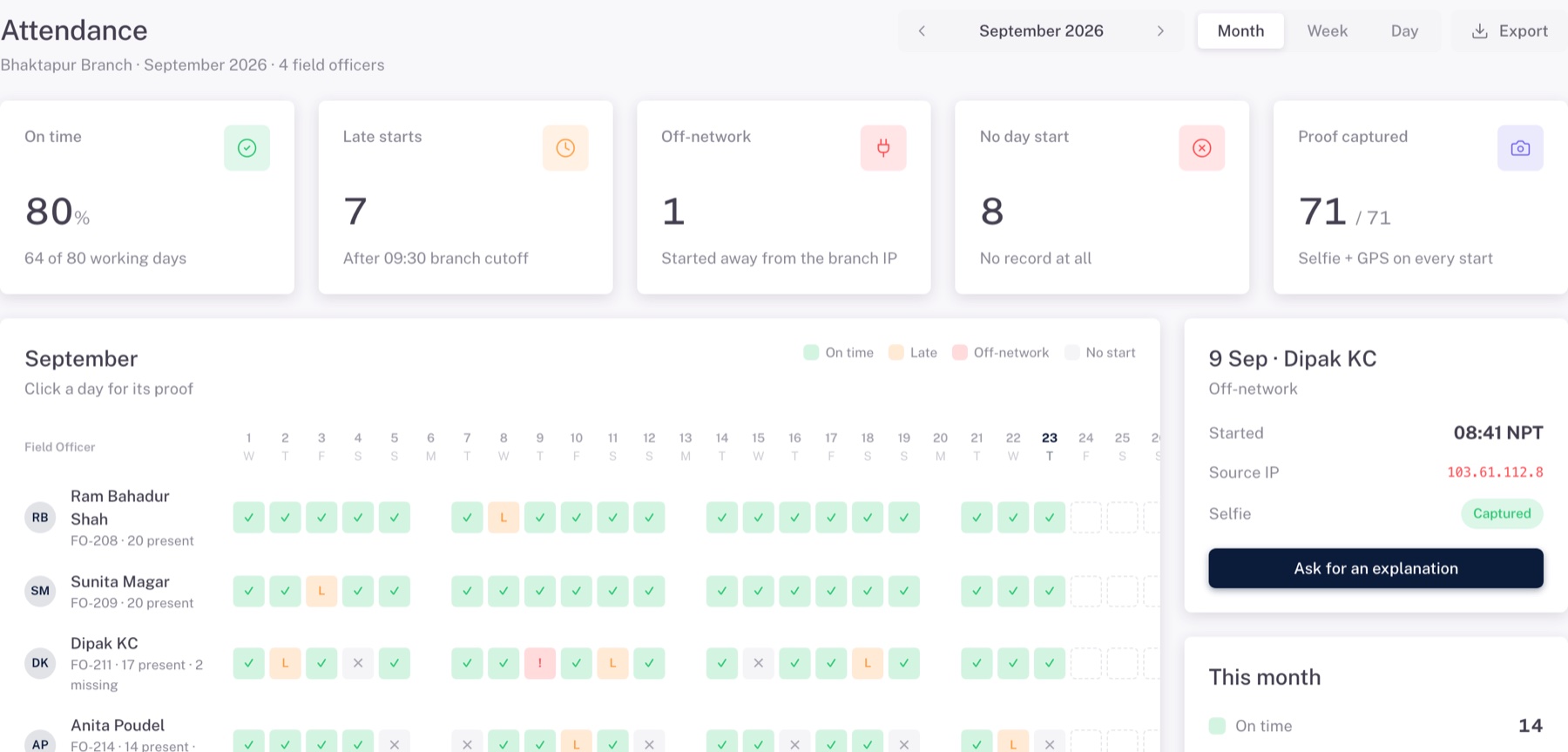
FieldArc attendance month view with sample data
Late start, flagged Selfie and location on every start

Questions we hear first.

Anything else, ask on the call or write to hello@fieldarc.co.

How do we get started?

Create an account and finish the setup in about 5 minutes: offices, staff and your team's words. Or request a demo first and we set it up with you.

Does the app work without internet?

Yes. It is designed to keep working without a connection. Visits, tasks and records are saved on the phone and sync when the connection comes back.

Which phones does it run on?

The field app runs on Android (Google Play) and iPhone (App Store). Managers, head office and HR use the dashboard in a web browser.

Will FieldArc change our other systems?

No. Where an approved interface is available, FieldArc reads the data it needs, such as members, customers or schedules. It never posts to or changes your core banking or other systems.

What do I see on the live map?

Each person's latest recorded location and the places they have visited, as the phones sync. Afterwards you can replay any person's day.

Is staff location tracked all the time?

No. Location is recorded during working hours, when the phone provides it, and shown as readable places. If it is missing, the record is flagged rather than blocked.

Who can see what?

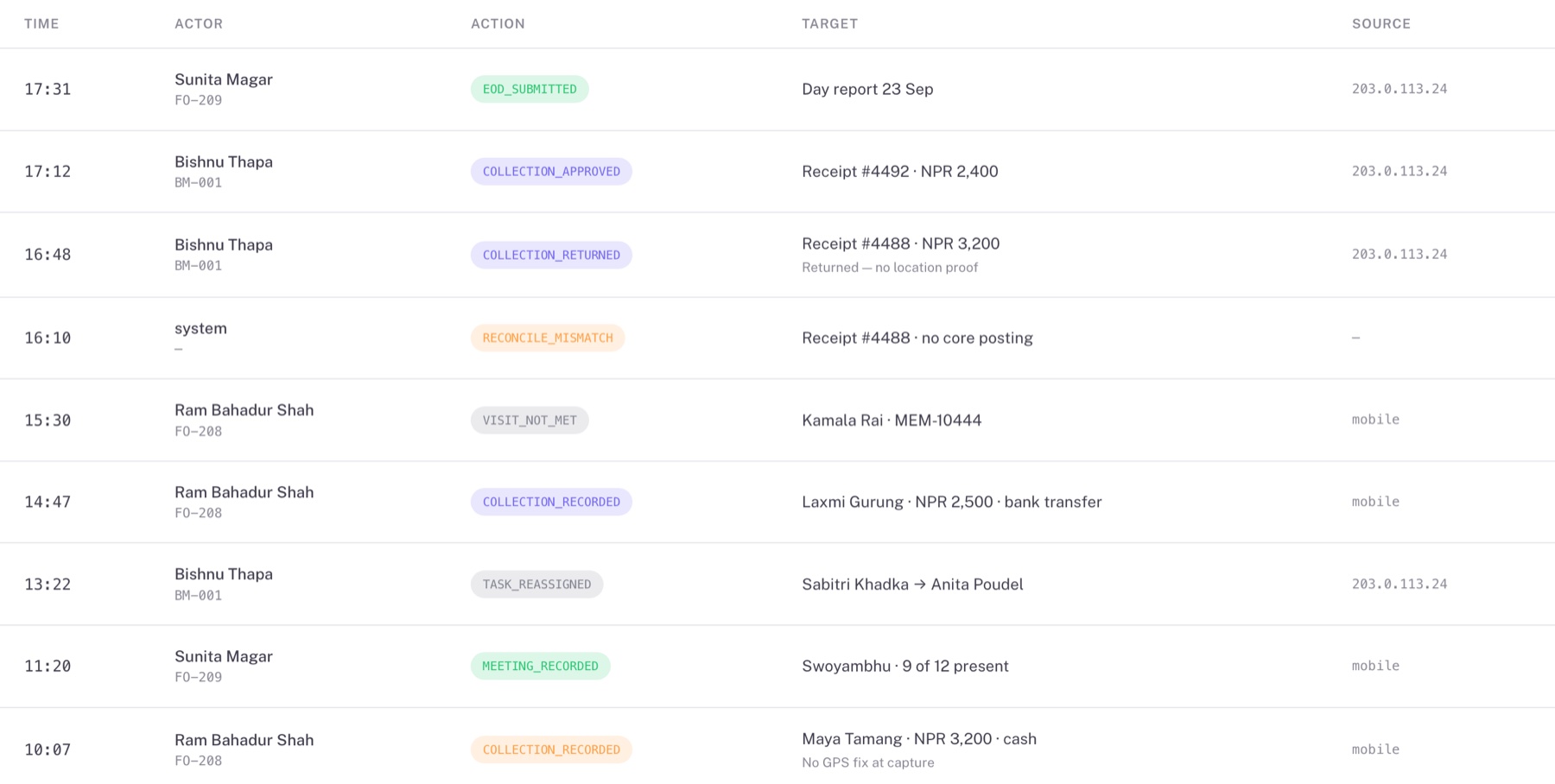
Access follows each person's role and branch. Where approvals are switched on, the person who records something cannot approve it, and sensitive actions are kept in an audit trail.

Is it in Nepali?

Yes. The app and the dashboard switch between Nepali and English, with Bikram Sambat dates.

How is it priced?

Per user, per month. The price depends on the modules you use and whether we host it or it runs on your own server. We send a quote after the demo call.

See it with your team.

Book a 30-minute demo or ask us anything. We reply within one working day.

What would you like?

Or pick a time now: book a 30-min demo.